Last updated 15 November 2026
Tint Wallet for Chrome
A self-custody wallet in your browser for Ethereum-family networks, Bitcoin, Litecoin, Solana, TRON and Monero. There is no account, and the keys stay on your computer. The extension is coming to the Chrome Web Store.
Where to get it
The extension is being prepared for the Chrome Web Store. Until it is published there, there is nothing to install, and an extension called Tint Wallet from any other source is not ours. The link will appear on this page as soon as it is published. On a phone, use the Tint Wallet app.
Your keys stay with you
- Create a wallet with a new 24-word recovery phrase, or open one with a phrase you already have. A phrase from the Tint Wallet app opens the same addresses here.
- The phrase is encrypted on your computer with a passcode you choose. It is not sent anywhere, and there is no account to sign up for.
- The wallet locks itself after 15 minutes without use, or after 5, 60 or 240 minutes if you choose.
- You can turn on unlocking with the computer's own sign-in (Touch ID, Windows Hello). The passcode keeps working.
Networks and coins
- Ethereum, BNB Chain, Arbitrum, Polygon, Base, Avalanche, OP Mainnet, Celo, HyperEVM, Zora and X Layer, plus the Sepolia and BNB Chain test networks.
- Bitcoin, Litecoin, Solana, TRON and Monero, with the same addresses as in the Tint Wallet app.
- The balance of each network's own coin, and of USDT and USDC where the network has them.
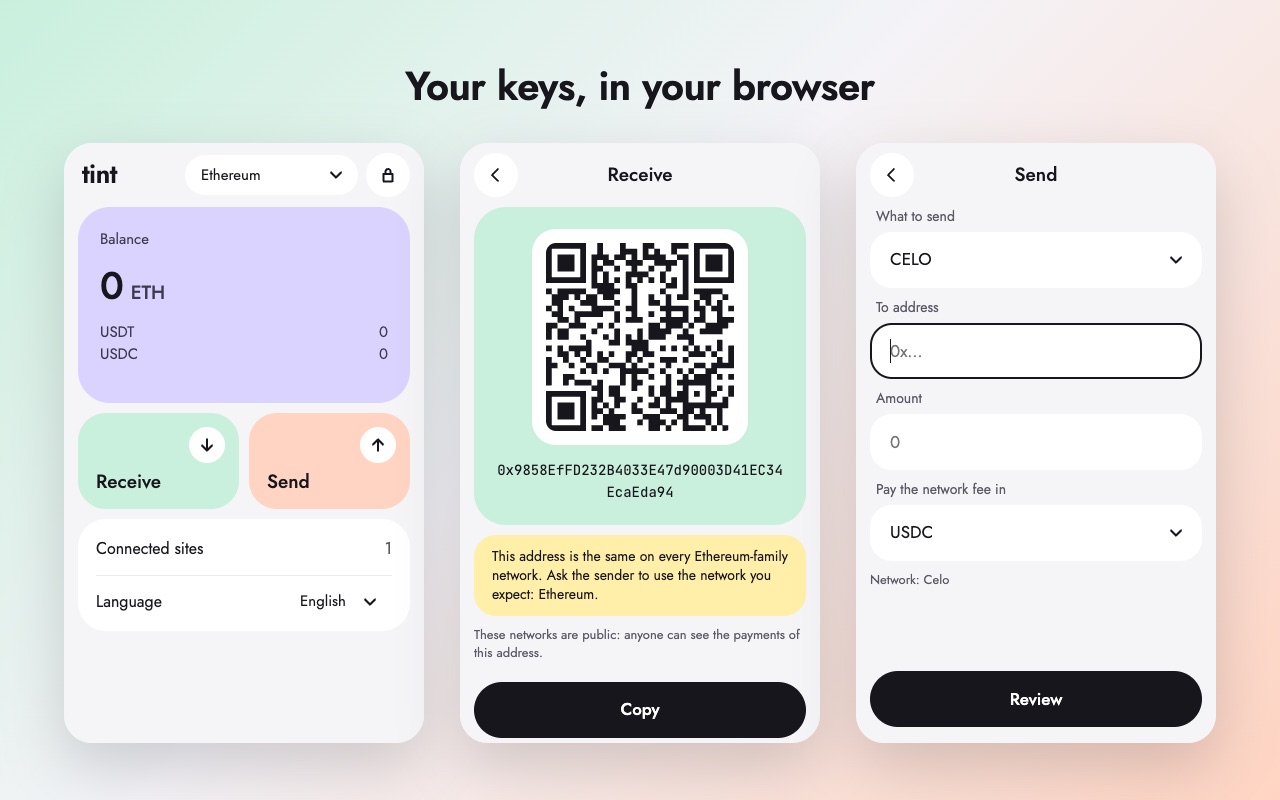
- Receive by address or QR code. Send coins and tokens, with a review screen before anything leaves.
- On Celo the network fee can be paid in USDT or USDC instead of CELO. On Ethereum, Arbitrum, Polygon, Base and OP Mainnet it can be paid in USDT or USDC through a relay, and on BNB Chain in USDT.
Swaps and transfers between networks
- Swap a network's coin for its stablecoins and back on Ethereum, BNB Chain, Arbitrum, Polygon, Base, Avalanche, OP Mainnet, Celo and HyperEVM, through OpenOcean. Tint takes no fee.
- Move coins between Celo and Ethereum, BNB Chain, Arbitrum, Polygon, Base, Avalanche and OP Mainnet, through LI.FI. Tint takes no fee; some bridges add their own.
- Swaps and transfers with TRON, Bitcoin, Litecoin and Solana go through NEAR Intents, with Tint's fee of 0.3%, or 1% when Bitcoin or Litecoin is on either side. Monero has no swaps.
- The quote and every fee are shown before you confirm, and the wallet checks each order before it signs.
Websites and dApps
- Sites find the wallet through the standard browser-wallet interface (EIP-1193 and EIP-6963).
- Sites connect on Ethereum-family networks only.
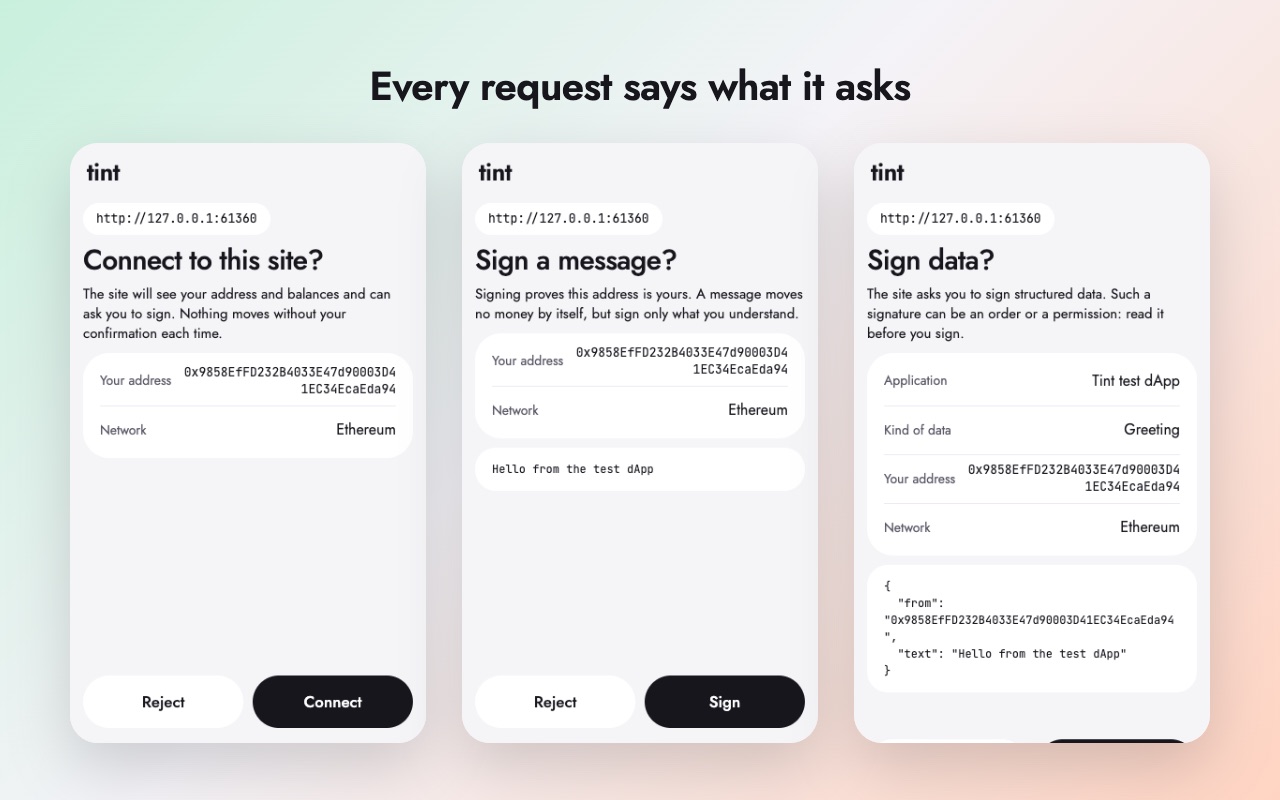
- A site sees nothing, not even your address, until you approve it. Each site is approved separately and can be disconnected at any time.
- Every connection, signature and payment opens a window that says in plain words what is asked: who receives how much, which contract gets a permission, and a warning when a permission has no limit or when the wallet cannot tell what a call does.
- The wallet does not sign opaque hashes (eth_sign) and does not add networks a site suggests.
How it differs from the app
The meme coin market and getting back SOL rent are only in the Tint Wallet app for Android and iPhone.
What to know
- A lost passcode cannot be recovered. The recovery phrase restores the wallet, so keep it on paper.
- Payments on these networks are public and cannot be undone.
- This is an early version of the extension. It has not had an outside security review yet.
- Ten languages: English, Russian, Chinese, Spanish, Turkish, Arabic, Japanese, German, French and Korean.
Privacy and help
No analytics, no advertising, and the developer receives no data. What the extension stores and which services it talks to is in the privacy policy. Questions: support.